


4 Pics 1 Word
4.6164.16K Reviews
App Specs
- Version
- 63.37.0
- Updated On
- License
- Free
- Downloads
- 50,000,000+
- Developer
- Lotum GmbH
- Categories
- Word
- Platform
- Android, iOS
Screenshots
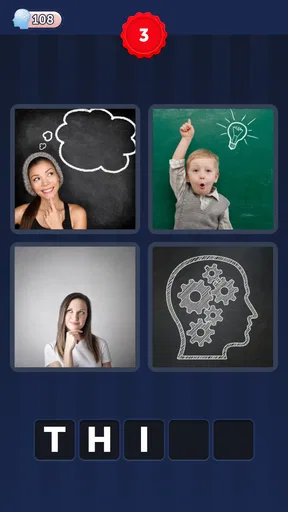
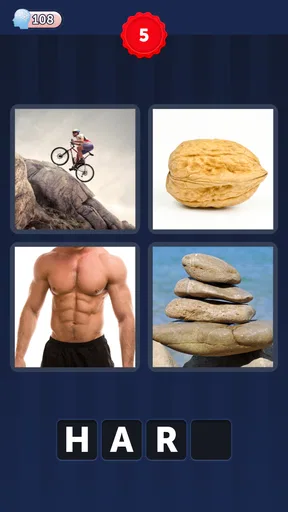
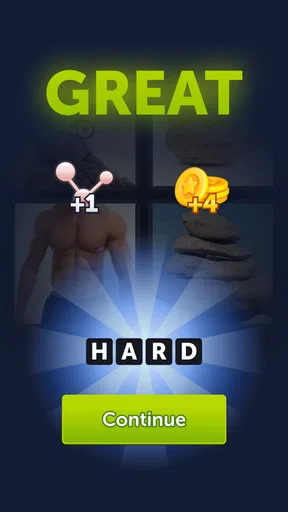
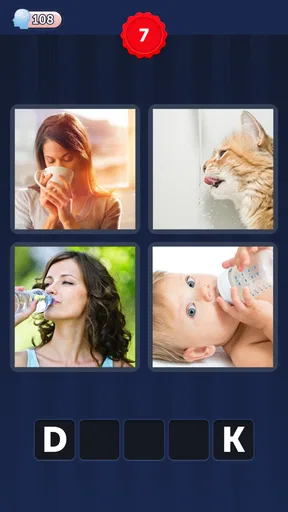
 Analysis by AppCompare
I often reach for a word game when I have a few quiet minutes, but I don’t always want a crossword that demands a long stretch of concentration. 4 Pics 1 Word is a more visual kind of puzzle: I look for a connection among four pictures, then express that connection as a single word. That small loop is easy to understand, though finding the answer can take more than a quick glance.
At a glance, then a closer look
Made by Lotum GmbH, this free word game has been around since February 13, 2013. It has a 4.6 average from around 1.3 million ratings, and it has passed 50 million installs. Those figures suggest a long-running favorite, but the useful question for me is whether its particular picture-and-word format fits the way you like to play.
The game is rated Everyone, and the current version is 63.21.2, with Android 7.0 as the minimum operating system. The core idea works for a wide range of ages: look closely, compare details, and test possible words. That doesn’t mean every puzzle will feel equally easy to everyone. Familiar objects, cultural references, and comfort with spelling can all affect how quickly a clue makes sense.
The appeal of connecting pictures
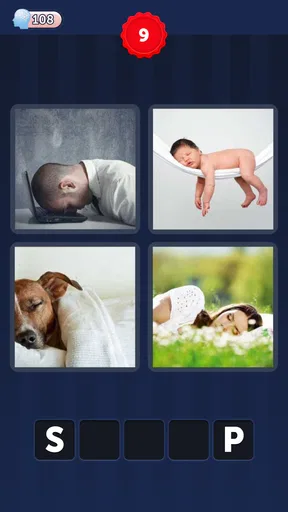
So, what exactly is 4 Pics 1 Word? It’s as simple as it sounds. You’re presented with four images, and your task is to find the one word that connects them all. It’s like a jigsaw puzzle, but with words. This concept is what makes it so addictive. You find yourself saying, "Just one more puzzle," and suddenly it's 2 AM and you’re still at it!
Gameplay and Features
The gameplay is pretty straightforward, which is why it appeals to such a broad audience. You get a set of images and a bunch of scrambled letters. Your job? Use those letters to spell out the word that links the pictures. It sounds easy, right? Well, some puzzles are a breeze, while others will have you scratching your head.
I find it helps to resist naming each picture immediately. First, I ask what they share: an action, a material, a setting, a shape, or a word that can describe more than one of them. That second pass often reveals a connection that is less literal than the first thing I noticed. If two candidate answers seem plausible, counting the available spaces can narrow the choice before I spend a hint.
The letter bank also makes the game a little different from a free-form riddle. You’re not typing any word that comes to mind; you have to make an answer from the letters shown. I use that as a check, not as a substitute for solving: once I have a likely idea, I scan the letters for a match. If they don’t fit, I go back to the pictures instead of forcing a near-answer.
Worth Reading Before You Choose

Baby Panda World Brings Quick Play to Modern Phones, but Its Game Library Feels Busy

ESPN’s Live Game View Makes Following Close Games Easier

QuizzLand Review: A Good Fit for Short Trivia Breaks, Not Every Player

Basketball Stars: Multiplayer Is Fast, but Can It Recover When Matches Go Wrong?

WEBTOON Turns Phone Updates Into a Better Reading Routine

Link to Windows Runs on Shared Habits, Not Social Feeds
One feature I loved is the hint system. You can use in-game coins to reveal a letter or remove some unnecessary ones. But here’s the catch: you’ve got to earn those coins, either by solving puzzles or through in-app purchases. It adds a layer of strategy as you decide when to spend your hard-earned coins.
My practical rule is to save a hint for a genuine dead end. I look at all four pictures, try a few broad categories, and only then consider using coins. Revealing a letter can be especially useful when I understand the theme but can’t retrieve the exact word; removing letters is more helpful when several spellings or word forms are competing in my head. Either way, spending a hint too early can take away the satisfying moment of making the connection myself.
Readable clues, familiar navigation
The images in the game are crisp and visually appealing. They’ve got this way of making you feel like you’re part of a detective story, piecing together clues to solve the mystery. Whether you’re a visual learner or just enjoy a good challenge, the game’s design is bound to keep you engaged.
For me, the strongest accessibility choice is the basic format: the pictures give context before I need to work with letters, and the task is easy to grasp without learning a complicated control scheme. The interface is intuitive enough that I can focus on the clue rather than figuring out where to go. That is helpful for a first-time player, a child playing with an adult, or someone who prefers short instructions over a tutorial-heavy game.
There is a trade-off in relying on pictures, though. A clear image is not necessarily an obvious clue. Cropping, an unfamiliar object, or a detail that matters more than the whole scene can make one picture harder to interpret than the others. When that happens, I try describing what is literally visible before guessing what the puzzle-setter intended. It gives me a calmer starting point than repeatedly staring at the same image.
Playing around different needs and settings
Running on both Android and iOS, 4 Pics 1 Word is readily accessible to almost everyone. The user interface is intuitive, so even if you’re not tech-savvy, you’ll find it easy to navigate. Plus, the game is frequently updated, ensuring compatibility with newer devices and operating systems.
Its short puzzle format suits small gaps in the day better than a game that asks me to remember a long story or keep a complicated board in mind. I might solve one while waiting for a drink, then put my phone away without needing to pick up a larger session later. On a quiet commute, I can work through several clues at my own pace. In a noisy or rushed setting, I’m more likely to make careless guesses, so I treat it as a pause-friendly game rather than a way to fill every spare second.
It can also work as a low-pressure shared activity. If I’m playing with a friend or family member, we can take turns naming possible links: one person notices an object, another thinks of a verb, and someone else spots a word with a broader meaning. That makes it useful when ages or puzzle experience differ, because people can contribute in different ways without needing fast reflexes. It is less suitable as a group game when everyone wants a clear turn-taking system or competitive scoring; the fun here is in jointly interpreting the clue.
For someone who is building confidence with word puzzles, I’d suggest saying possible answers aloud before touching the letter bank. That separates the idea-finding part from spelling it out and makes it easier to notice whether the answer actually describes all four images. If spelling itself is the main challenge, however, the letter choices may still feel like a barrier rather than a helpful prompt.
Where the format can get in the way
Visual play is not automatically comfortable for everyone. A player with low vision may find picture details difficult to distinguish, while someone with color-vision differences may find a particular image less clear if its clue depends on color. The letter-and-picture combination also asks me to shift attention between two kinds of information. I would not recommend relying on it as an accessible option if small visual details are difficult for you; a word game with adjustable text or a non-image clue format may be a better fit.
There are motor and sensory considerations, too. The main activity is deliberate rather than fast, which is a welcome contrast with games built around timed taps. Still, entering letters involves repeated touch interaction, and a cramped screen or unsteady hands can make that less comfortable. Bright imagery and frequent visual changes may also be tiring for some people. I find it best in a calm moment, with the phone held comfortably, rather than while walking or trying to play one-handed in a crowded place.
The clues also depend on language and shared associations. A picture that seems obvious to one person may suggest a different word to someone from another background, and knowing the concept does not always mean knowing the expected spelling. Players who want careful vocabulary lessons, definitions, or a clear explanation of why an answer is correct may prefer a structured learning app. This is a guessing game first, not a substitute for a guided language course.
How it compares with other word games
Compared with crosswords, this game asks less of me in terms of general knowledge and long-term planning, but more in terms of visual interpretation. Compared with a word search, it is not about spotting a word already on a grid; I have to infer the link before assembling it. And unlike a conventional riddle, the four images give me concrete clues to return to when my first guess fails. That mix is its particular strength, though anyone who prefers definitions, a visible board, or a single unambiguous clue may enjoy another format more.
There are in-app purchases, with items priced from $0.99 to $42.99. Since coins can be earned through solving puzzles, I see the purchase option as a convenience rather than a requirement for the basic puzzle loop. I’d avoid buying anything on impulse when I’m stuck; taking a break and returning with fresh eyes often helps more than spending currency on a clue I might have solved moments later.
Who I’d recommend it to
One aspect that sets this game apart is its active community. There are countless forums and online groups where players share tips, hints, and even discuss the most challenging puzzles. It’s like having a support group, which, trust me, you’ll appreciate when you’re stuck on a particularly tricky puzzle!
I’d recommend it to people who enjoy making connections, want a game that can be picked up briefly, or like talking through clues with someone else. It is especially satisfying if you enjoy the moment when four unrelated-looking images suddenly point to the same word. I’d be less likely to suggest it to someone who dislikes visual guessing, needs every answer explained, or wants a deeper story or a more involved strategy game. The large player community can offer a nudge, but looking up an answer too quickly can spoil the pleasure of working it out.
If you’re deciding whether the game is worth trying, the central question is simple: do you enjoy interpreting pictures as word clues? You can approach each puzzle in stages—describe the images, find a shared idea, check the letters, and use a hint only if you are truly stuck. That gives the game a fair chance without turning every difficult clue into a purchase decision.
A casual brain workout with a clear audience
4 Pics 1 Word is more than just a time-killer; it’s a brain workout. It’s perfect for those moments when you’re waiting for your coffee or commuting on the train. The app manages to strike the perfect balance between fun and challenge, making it a must-have on your phone.
My verdict is positive, with a specific caveat: it is a good fit when picture clues feel inviting, not when they become tiring or hard to interpret. The simple rules, familiar word-building, and flexible pace make it easy to recommend to casual puzzle fans. Its visual dependence, occasional ambiguity, and optional spending are real trade-offs, so I wouldn’t call it a universal choice. If those limits suit you, it can turn a short idle moment into a satisfying bit of deduction.
So, if you haven’t tried it yet, what are you waiting for? Grab your phone, download the app, and join the millions who are already hooked. Whether you’re a puzzle pro or a casual gamer, 4 Pics 1 Word offers something for everyone. Happy puzzling!
Pros
- Engaging and addictive gameplay.
- Simple and intuitive interface.
- Regular updates with new puzzles.
- Enhances vocabulary and thinking skills.
- Suitable for all ages.
Cons
- Can become repetitive over time.
- Contains in-app purchases.
- Ads can be intrusive.
- Requires internet for some features.
- Limited hints without purchase.
FAQs for 4 Pics 1 Word
What is the main objective of 4 Pics 1 Word?
4 Pics 1 Word is a puzzle game where the main goal is to find the common word that links four distinct images. Each set of images offers clues, and the challenge is to deduce the word that connects them all. It’s a fun way to test your observational and vocabulary skills.
Is 4 Pics 1 Word suitable for all ages?
Yes, 4 Pics 1 Word is designed to be family-friendly and suitable for all ages. The game provides a great opportunity for both kids and adults to engage in problem-solving and improve their language skills, making it an enjoyable experience for everyone.
Does 4 Pics 1 Word require an internet connection to play?
4 Pics 1 Word can be enjoyed offline, which makes it perfect for playing on the go without the need for an internet connection. However, some features, such as in-app purchases or updates, may require online access.
Are there any in-app purchases in 4 Pics 1 Word?
Yes, while 4 Pics 1 Word is free to download, it offers in-app purchases. These can include hints or additional coins to help solve more challenging puzzles. Players can enjoy the game without making purchases, but these options can enhance the gameplay experience.
How does the hint system work in 4 Pics 1 Word?
The hint system in 4 Pics 1 Word provides players with tools to assist when they find puzzles too challenging. Hints can reveal letters or remove unnecessary ones from the options. Players can earn additional hints through gameplay or purchase them via in-app transactions for quicker assistance.


